![Switch Logo_RGB-2.png]](https://help.switchcare.com/hs-fs/hubfs/Switch%20Logo_RGB-2.png?height=40&name=Switch%20Logo_RGB-2.png)
One of the things we've received a lot of great feedback from you on is needing the ability to manage your notifications so that you don't miss any important and time-sensitive messages.
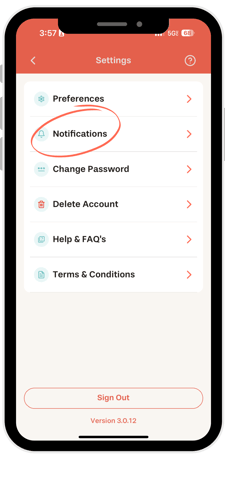
1. In your mobile app, go to Settings > Notifications

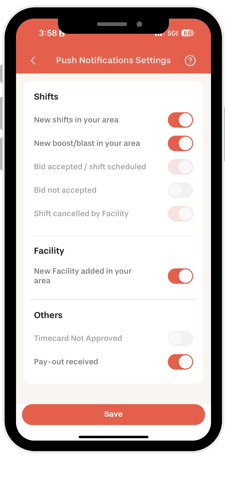
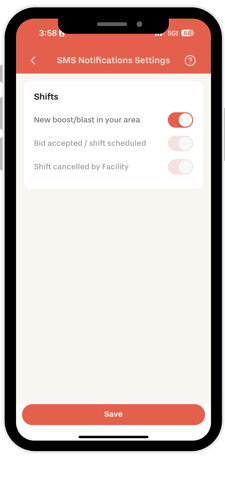
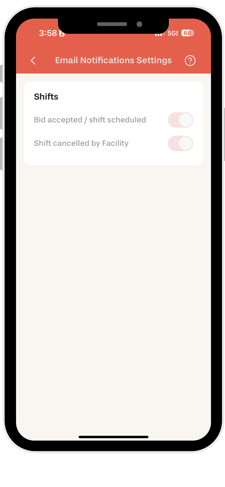
2. From here, you can select which Notifications you want to receive via Text (SMS), In-App (Push), and Email.
Why can't I turn off certain notifications?
There are a few notifications that are vitally important for you to receive, and so you can't turn them off. These include:
I didn't receive a notification even though my settings are turned on: